byAir: Flight Tracker & Status
- 4.7
- Rating
- 100.00K
- Installs
- Free
- Price

 Analysis by App-foxy
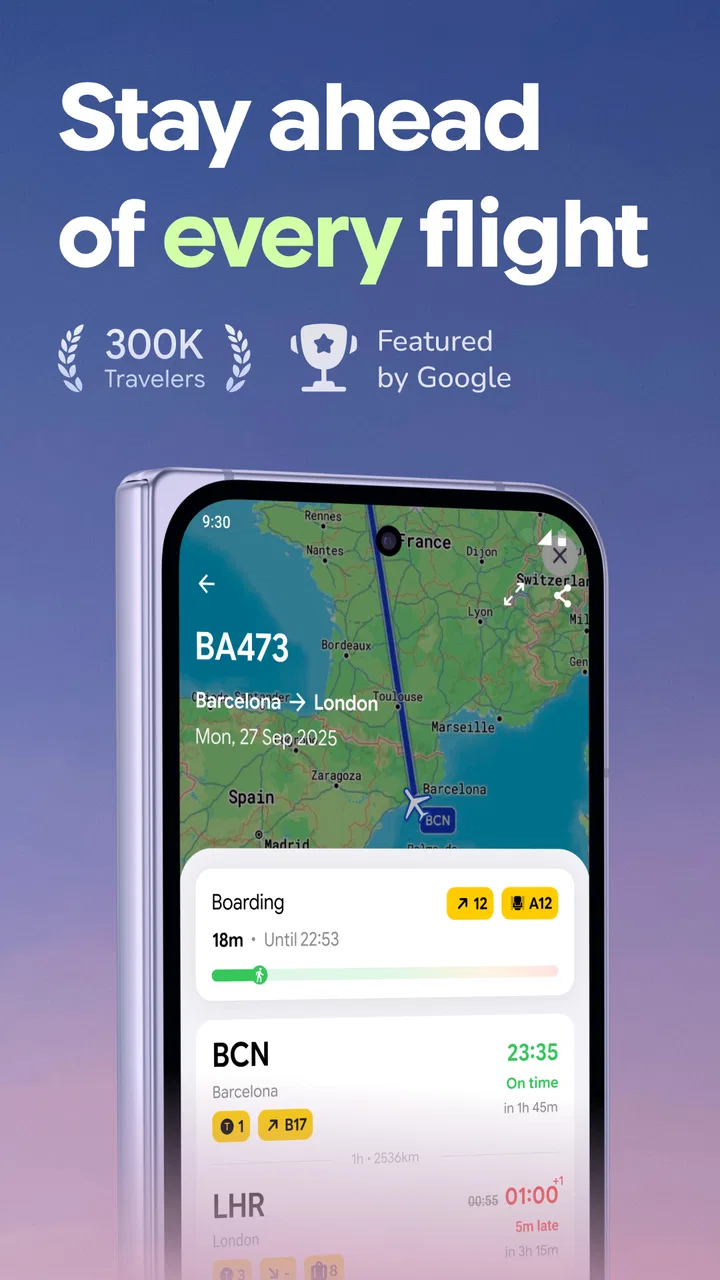
When I first opened byAir: Flight Tracker & Status, I approached it with one simple question: could it help me understand a flight quickly, without forcing me to search through several airline pages? That is the role this free travel and local app is trying to fill. It brings flight tracking, status information, delay updates, a flight board and airline details into one place, which makes it especially appealing when I am meeting someone at the airport or checking my own journey while away from home.
The app is made by BYAIRAPP S.L. and is available to everyone rather than being restricted to a particular age group. It has built a solid early audience, with more than one hundred thousand installs and an average score of 4.5 from roughly 3.2 thousand ratings. Those figures suggest that the basic idea is working for many travelers, although a good rating should not be treated as a promise that every airport or every flight will feel equally well covered.
What to expect from the flight-tracking experience
The most useful way to think about byAir is as a focused travel companion rather than a complete replacement for an airline’s own app. An airline application is usually best for booking management, check-in, baggage rules and account-specific notices. byAir is more useful when I want a quick operational view: is the flight moving normally, has the timing changed, and what does the airport’s flight board look like?
You May Also Like

 Blood Strike: 2.5 Anniversary
Blood Strike’s Loadouts Turn Every Drop Into a Tactical Gamble
A close look at Blood Strike’s custom loadouts: how fast access to signature weapons reshapes its battle royale rhythm, rewards preparation, and narrows the gap between fights.

 Pandora - Music & Podcasts
Pandora’s Music Is Easy to Start, but Harder to Recover
Pandora’s strength is its low-effort path from a seed to a station. Its weak spot is how much confidence it asks you to place in connection, setup, and quiet recovery.

 8 Ball Pool
 Is Built on Rivalries, Rematches, and Routine
A close look at the rivalries, rematches, shared routines, and unanswered safety questions that turn a quick pool match into a persistent mobile community.

 Samsung Music
’s Quiet Strength Is Playing What You Already Own
Its reach comes less from spectacle than from dependable access to a personal library. That simplicity is both the app’s strongest retention engine and its ceiling.

 AccuWeather: Weather Radar
AccuWeather Review: A Quick, Clear Forecast for Everyday Decisions
For everyday plans, the best forecast is the one you can understand quickly. AccuWeather makes rain timing, radar, and local conditions easy to act on, with a few trade-offs.

 Hill Climb Racing
Why Hill Climb Racing Still Turns Crashes Into One More Run
A tiny car, a bumpy hill and one more upgrade: Hill Climb Racing keeps resurfacing because its simple chaos makes every near-miss feel personal.
More From Our News Desk



That distinction matters because flight information has different levels of importance. If I am deciding whether to leave home for the airport, a current status is valuable. If I am changing a ticket, selecting a seat or dealing with a missed connection, I would still go directly to the airline. I see byAir as the fast layer between those two situations: broader than a single carrier app, but more focused than a general travel organizer.
The store description points to four connected jobs: tracking planes, checking flight status, following delays and updates, and viewing flight boards and airlines. In practice, that combination should suit both passengers and people waiting for arrivals. I would also consider it useful for a family member who does not want to install several airline apps just to monitor one journey.
There is a practical advantage to keeping these tasks together. Search engines can return airport pages, airline pages and third-party results in a confusing order. A dedicated tracker gives me a clearer starting point. I can begin with the flight rather than trying to remember which website contains the right board or status page.
Still, I would not use a tracker as my only source when the consequences are serious. Airport operations can change quickly, and the airline or airport remains the authority for boarding instructions, gate changes that require action, cancellations and rebooking. My habit would be to use byAir for awareness, then confirm important decisions through the carrier or airport.
Getting through the first setup
The first-time experience is easiest when I already have the flight number or enough journey information to identify the trip. Before opening the app, I would keep the confirmation email or boarding pass nearby. This small preparation avoids the most common beginner problem: searching with an incomplete route, an approximate time or the wrong airport code.
I would start by looking for the flight-status area rather than exploring every section at once. The app’s main value becomes clearer after I locate one real flight. A first search is more meaningful than browsing airline names because it lets me judge how quickly the information answers my immediate question.
When an app presents both flights and airlines, it is easy to assume that choosing an airline alone will reveal everything about a journey. I would treat the airline view as a way to narrow attention, not as a substitute for identifying the exact service. Two flights from the same carrier can have different schedules, statuses and airport details.
My advice is to check the spelling and number carefully. A small mistake can lead to a result that looks plausible but belongs to another service, especially when airports share similar city names. If the result does not match the route I expect, I would not immediately conclude that the app is wrong; I would first recheck the flight number, departure airport and travel date.
byAir is free to download, which makes this trial straightforward. It does include optional in-app purchases priced from $4.99 to $199.99 per item, so I would pay attention to what is offered before confirming anything. A person who only needs occasional status checks may find the free experience sufficient, while a frequent traveler should decide whether any paid option genuinely changes the workflow rather than assuming it is necessary.
Finding the first useful result
The first successful action I would aim for is not simply finding a flight. It is opening the correct flight and reading its status in context. I want to see whether the service is scheduled, delayed or otherwise updated, and I want to connect that information with the relevant airport and airline before making plans.
A realistic example is picking up a friend after work. I would search for the arriving flight before leaving, check whether the timing still looks normal, and then look at the arrival information instead of relying on the original schedule in a message. If the flight is running late, I can delay my departure rather than waiting unnecessarily at the terminal. If the information looks unchanged, I can still verify the final details through the airport or airline before setting off.
For my own trip, I would use the same process in stages. The day before departure, I would check the flight to confirm that the basic schedule is still familiar. On travel day, I would check again closer to leaving for the airport. This is more useful than repeatedly opening the app without a question in mind; each check should support a decision.
The flight-board view is particularly helpful when I am thinking in terms of an airport rather than one booking. If I am already at the terminal or collecting someone, a board-style overview can be easier to scan than a private airline itinerary. It may also help me notice that the airport has several similar services and avoid confusing one arrival with another.
One non-obvious benefit of this workflow is that it separates identification from interpretation. First I confirm that I have the right flight. Then I read the status. Finally I decide what action, if any, is needed. That order reduces the risk of reacting to a delay belonging to a different service.
Where new users can become confused
The word “status” sounds definitive, but it should be read as a current travel signal, not an absolute guarantee. A flight can appear on time and still experience a later gate change, boarding delay or operational adjustment. I would therefore avoid treating a normal status as permission to arrive late. The app can help me monitor a journey; it cannot replace the airport’s timing requirements.
Another possible confusion is the difference between a delay update and a cancellation or rebooking solution. Seeing that a flight is delayed tells me that the plan has changed, but it does not automatically solve the next problem. I would still contact the airline if I need a new itinerary, a refund, accommodation or specific passenger assistance.
Flight-board information can also be misunderstood by first-time users who expect it to behave like a personal boarding pass. A board is a public operational view. It is useful for orientation, but it does not prove that I have checked in or that I am eligible to board. For those tasks, I would use the airline’s official tools and keep my travel documents accessible.
I also think users should be realistic about the difference between tracking a plane and tracking a passenger journey. A plane may operate several services in a day, and a route can be affected by aircraft rotation, weather or airport congestion. The flight I care about is the one attached to my booking, not merely any aircraft associated with the same airline.
These distinctions are not reasons to dismiss byAir. They are the habits that make it more dependable in everyday use. I get the most value when I use it to reduce uncertainty, then verify anything that affects money, timing or access to the aircraft.
Three practical habits that make it more useful
My first recommendation is to save the flight number in the same place as the booking confirmation, even if I expect to remember it. When a delay appears, searching from a known identifier is faster and safer than reconstructing the journey from a city pair. This is especially useful for return flights, where the departure and arrival cities are reversed.
Second, I would check the flight board when the individual result feels unclear. The board provides context: it helps me compare the selected service with other departures or arrivals at the same airport. That can reveal a simple input mistake, such as choosing the wrong terminal city or confusing an arrival with a departure.
Third, I would use the airline section as a cross-check rather than a decorative directory. If I am monitoring several journeys involving different carriers, grouping my thinking by airline can make the information easier to organize. It is also a reminder that different carriers may present updates differently, so I should read the actual status instead of assuming that every label means the same thing.
A fourth habit is to avoid checking only at the moment I leave for the airport. A status check earlier in the day can expose a developing problem while I still have time to contact the carrier or adjust transport. I would then perform a final confirmation through official travel channels before departure.
Who will appreciate it, and who should choose something else
I think byAir is a good fit for occasional travelers, airport meet-and-greet situations, families monitoring a relative’s arrival and people who fly with several airlines. Its free entry point lowers the barrier to trying a dedicated tracker, and the combination of status, delays, flight boards and airline information gives it a clear purpose.
It is also suitable for someone who dislikes maintaining a collection of carrier-specific apps. Instead of opening one app for a budget airline, another for an international carrier and a separate airport website, I can begin with one neutral travel tool. That convenience is strongest when my need is observation rather than account management.
I would be more cautious about recommending it as the only app for business travelers who need booking changes, receipts, loyalty accounts or detailed disruption support. Those users will still benefit from the official airline application. Likewise, someone who wants a full trip planner, hotel management, maps and itinerary storage may prefer a broader travel organizer, even if it is less focused on live flight information.
The optional purchases are another reason to decide based on personal use. A person checking one or two flights may not need to spend anything. A frequent traveler should inspect the purchase screen carefully and compare the benefit with the free workflow before paying. The wide range, from a few dollars to nearly two hundred dollars per item, makes that decision especially important.
My next-step routine after the first check
Once I have found the correct flight, I would build a simple routine around it. I would check the status before arranging airport transport, look again before leaving, and use the board when I need a wider view of the terminal’s activity. If the timing changes, I would treat that as a prompt to verify the airline’s instructions rather than as the end of the process.
For someone meeting an arrival, I would wait for the journey to become close enough to plan around, then confirm the airport information and allow extra time for baggage collection. The app helps me avoid arriving based only on the scheduled landing time, but it cannot tell me exactly when a passenger will walk out of the terminal.
For someone flying, I would keep the official booking and boarding documents ready even after checking byAir. The tracker is most valuable as a quick status layer. It gives me a convenient place to notice changes, while the airline remains the place to complete passenger-specific actions.
After using it this way, my opinion is positive but measured. byAir: Flight Tracker & Status is a focused, approachable travel app from BYAIRAPP S.L. that makes flight monitoring less scattered. I like its emphasis on the practical questions travelers ask first: what is happening with the flight, is there a delay, and what does the airport picture look like?
Its limitations are equally clear. Status information should not be confused with a boarding pass, a rebooking service or a guarantee that nothing will change later. The presence of optional purchases means I would review costs rather than assume every feature is essential. Even so, for a first-time user who wants a quick way to follow flights across airlines, the free starting point and straightforward purpose make it worth trying. My main recommendation is to use it as an early-warning and planning tool, then confirm important decisions with the airline or airport.
FAQs for byAir: Flight Tracker & Status
01What features does byAir: Flight Tracker & Status offer?
byAir offers a comprehensive suite of features including real-time flight tracking, detailed flight status updates, gate and terminal information, and push notifications for any changes. Additionally, the app provides airport maps and weather updates, ensuring you have all the necessary information for a smooth travel experience.
02Is byAir: Flight Tracker & Status free to use?
Yes, byAir offers a free version with essential features. However, there is a premium subscription available that unlocks advanced features such as ad-free usage, enhanced notifications, and access to historical flight data. Users can choose based on their travel needs and preferences.
03How accurate is the flight tracking information on byAir?
byAir uses reliable data sources to deliver accurate and up-to-date flight information. The app integrates with both airline databases and airport systems to ensure real-time accuracy. However, users should always cross-check with official airline communications for critical updates.
04Can I track multiple flights at once with byAir?
Absolutely. byAir allows users to track multiple flights simultaneously. You can save and monitor several flights, making it ideal for frequent flyers or those coordinating group travel. The app’s interface is designed to easily switch between different flights with just a few taps.
05Does byAir support offline access to flight information?
byAir requires an internet connection to provide real-time updates and notifications. However, the app saves previously accessed information locally, allowing you to access it offline. This feature is helpful for reviewing flight details when internet access is limited, such as during flights.
Pros
- Real-time flight status updates.
- User-friendly interface design.
- Supports multiple airlines.
- Customizable notification settings.
- Offline access to travel data.
Cons
- Limited airport coverage.
- Occasional data sync issues.
- No in-app customer support.
- Ads in free version are intrusive.
- No integration with calendar apps.

byAir: Flight Tracker & Status
Gallery